
Searching Civil Dockets in Ohio
There is no unified public search covering ordinary county civil trial dockets in Ohio. The Supreme Court of Ohio's ECMS Case Search reaches only Supreme Court cases. It will not surface Common Pleas, Municipal, County, Domestic Relations, or Probate dockets. The Ohio Court of Claims Odyssey Portal is statewide too. But its coverage stops at Court of Claims matters. For most Ohio civil cases, the summons, complaint, or court order names the court and division. That is where a docket search should begin. Each system stays separate by court and division.
When the court's website is a mystery, the Supreme Court's Ohio trial-court directory can help. It routes you by county and court. Search by the case number printed on the court paper whenever you have it. Without one, use a party name plus local filters. Filters for case type, division, or dates usually narrow the results. The directory points to local courts, but it does not search their cases itself. The clerk for that case holds the full civil docket sheet. Continue through the Ohio County Directory to reach the right local court site.
The official directory lists Ohio trial courts by county. It shows a court-listing route for every county. From there, each county or court supplies its own civil case search and records contacts.
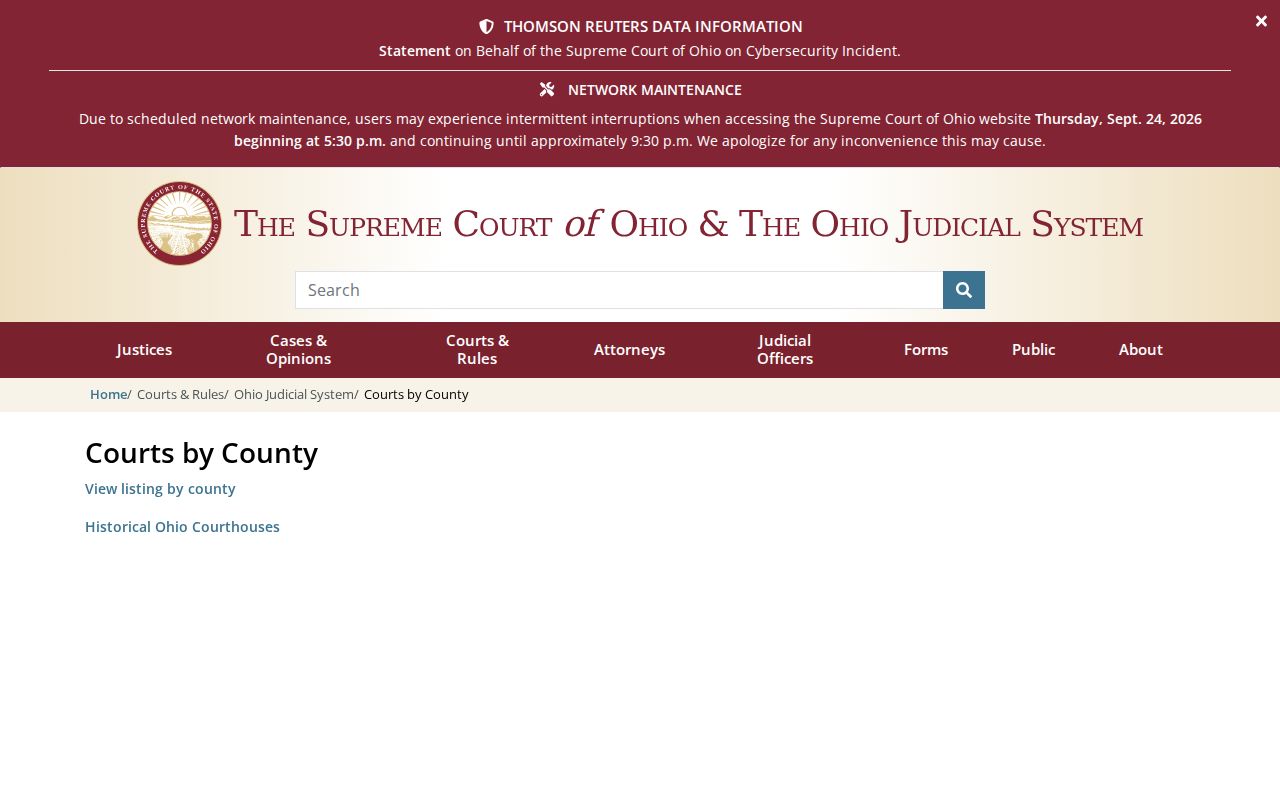
This directory routes you to the right place. It is not a statewide Ohio civil docket search, so pick the county clerk or court portal that matches the court named on your case papers.
- Read the court, division, county, and case number on a filing or notice.
- Open the named court's official search and enter the exact case number first; use party name and dates if needed.
- Check the local case history and note the date and title of the filing you need.
- For a document image or complete docket, contact the clerk that holds the case through the county directory.
Ohio Civil Cases Split by Court
Ohio sorts civil cases by claim size and territory. It has no one statewide civil selector. Common Pleas General Divisions take the broad civil matters, usually claims over $500. They hold exclusive jurisdiction above $15,000 subject to statutory exceptions. Municipal and County Courts keep the limited civil work. That work can include small claims or eviction matters where provided. Domestic Relations and Probate run through their own divisions. Every Ohio court's docket and search tools stay local. County Courts cover areas a Municipal Court does not serve.
| Court or division | Typical civil route | Search path |
|---|---|---|
| Common Pleas General | General civil claims; generally over $500 and exclusive above $15,000, subject to exceptions | County Clerk of Courts portal or direct clerk access |
| Municipal or County Court | Limited civil matters, small claims, eviction, or collection within statutory limits | Local Municipal or County Court clerk |
| Domestic Relations | Divorce, support, custody, and related family cases | Separate Common Pleas division route |
| Probate | Estate and other probate matters | Probate Court judge or clerk |
| Court of Claims | Specified claims against Ohio or state agencies | Statewide Court of Claims portal only for its own docket |
The Supreme Court's trial-court directory maps every local court site across the state. A Common Pleas portal will not automatically hold Municipal, County, or Probate cases from the same county. Check the right one.
The Warren County Common Pleas search screen shows how one county handles it. You can search by name or case number. Filter by opened and closed dates, and narrow by local case, court, cause, party, division, or statute fields. Those options belong to that county alone. They are not an Ohio-wide field list.
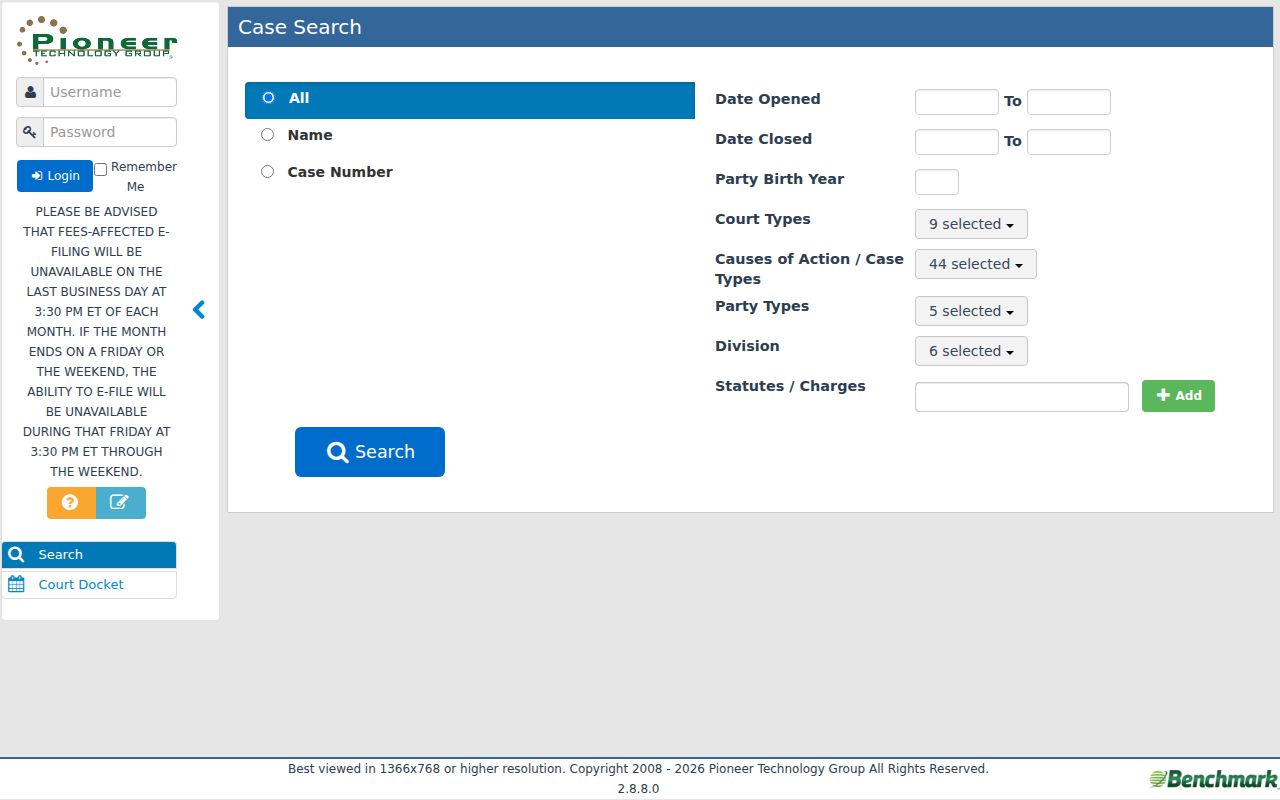
Local search fields can narrow a case, but each court's own site decides what you can filter and how far coverage goes.
Note: Warren and Hamilton show separate local search designs, not a shared Ohio portal or one uniform set of case filters.
What an Ohio Civil Docket Shows
Think of an Ohio civil docket as a timeline. It lists each filing and court action in order. The actual papers live in the case file, which is separate. R.C. 2303.12 spells out the Common Pleas general docket in pieces. It calls for an appearance docket, a trial docket, a journal, an execution docket, and the case files that go with them. Municipal Courts and County Courts keep their own records under separate statutory and local rules. An online case summary may trace the whole history without attaching every pleading or order. State law defines what docket records are. Each local site decides how they look on screen.
Treat the entry date and title as pointers, not proof. They point you toward the paper on file. Case numbers and event labels differ from one court to the next. County, division, and vendor shape them too. A entry marked “filed” only means something was submitted. It does not mean a judge granted it. Hamilton County's Municipal civil prefix CV is simply a local identifier. It is not a statewide case-number formula for Ohio.
| Court and case number | Identifies the court, division, and local identifier; no single county trial-court format applies statewide. |
|---|---|
| Caption and parties | Names the sides, which can include multiple parties or organizations; sensitive names may be limited by rule. |
| Chronological entries | Lists dated filings and actions. Common examples include a complaint, service return, answer, motion, order, or hearing notice, but local event codes differ. |
| Journal and judgment | Shows the court's written ruling or judgment. Read the signed entry for the actual result and terms. |
| Post-judgment activity | Execution, garnishment, stay, satisfaction, or an appeal can lead to further entries or a separate docket. |
Ohio Civil Docket Rule of 2023
Ohio's online-document rule for civil cases points forward. Under R.C. 2303.12, county Clerks of Courts must post the general docket and case documents online. The rule covers Common Pleas General Division civil cases filed on or after April 6, 2023. Coverage begins at filing, not before. Older files carry no promise of full images online. Local launch timing, technical access, and restrictions still shape what a visitor can actually pull up.
The mandate works through local clerk websites. Domestic Relations and Juvenile files sit outside it. Probate runs on its own forward-looking provision. R.C. 2101.11 covers qualifying cases filed on or after September 30, 2025. An 18-month implementation period applies. When a date or division falls outside a site's coverage, request the record from that court's clerk. A missing image never proves a record does not exist. An older Ohio filing may still need direct or archive access.
These duties bind local sites going forward. They do not merge county civil cases into one shared Ohio case search.
Note: The online mandate has future-facing filing dates. Older and excluded cases still need their own clerk access route.
Civil Case Types on Ohio Dockets
Ohio civil dockets hold many kinds of disputes, and each kind has its own court and procedure. A Common Pleas case might involve a contract, an injury, a property claim, or another general civil issue. Municipal and County Courts hear limited civil matters. Those include small claims, eviction, and collection cases as authorized. Divorce, support, and custody go to Domestic Relations. Probate matters follow the Probate Court's own record route. Claims against the state belong to the separate Court of Claims.
The papers that opened the case tell you its type and court. A case number alone is a poor category guide. If a search comes up empty, check a lower court, a separate division, Probate, or the Court of Claims before widening the party-name search. Ohio family and probate records follow distinct court routes.
| Civil matter | What to identify |
|---|---|
| Contract, tort, or property | Common Pleas General or a local limited-civil court, depending on jurisdiction and claim. |
| Small claims, eviction, or collection | Municipal or County Court serving the location; Ohio does not use a statewide justice-of-the-peace docket. |
| Divorce, support, or custody | Domestic Relations division and its access rules. |
| Estate or guardianship | Probate Court, which can have a separate portal and clerk route. |
| Claim against Ohio | Court of Claims, whose statewide portal does not include county trial dockets. |
Ohio Court of Claims Search Is Narrow
The Court of Claims is the one statewide civil-search exception in Ohio. Its reach stops at that court. The Odyssey Portal offers Smart Search by case number or party name. It adds advanced filters for date and case type. A separate hearing search is also included. Coverage runs to claims within the Court of Claims' jurisdiction. That includes claims against Ohio or state entities. Specified public-records or victims-compensation matters are covered too. It does not search Common Pleas, Municipal, County, Domestic Relations, or Probate cases. Keep that limit in mind. Treat it as one court's tool, not a statewide Ohio docket search.
| Portal control | Type | Required | Search note |
|---|---|---|---|
| Smart Search | Text | Yes | Enter a case number or party name in the shared search box. |
| Case number | Text in Smart Search | One search route | Include the suffix when known; the portal guide documents a wildcard when it is not. |
| Party name | Text in Smart Search | One search route | Use Last, First order; the guide describes literal matching and name variations. |
| Advanced filters | Date and case-type controls | Optional | Use to narrow the Court of Claims result set; the full live option list is not published in the guide. |
A portal result can lead to case information, parties, causes, disposition events, hearings, financial information, and documents. Registration is not required for public search, the Court's portal says. Online copies are not certified. They do not replace the official record. Anyone needing an authenticated judgment or copy must contact the Court of Claims Clerk. Ohio county civil cases still need their local clerk route.
Scope check: A statewide portal can still be court-limited. Match the court named on the case paper before relying on a search result or concluding that no case exists.
Ohio Civil Settings and Hearings
An Ohio civil docket may list a case-management conference, a discovery deadline, or mediation. It may also show a motion hearing, trial, or a later setting. Not every event shows up there. Some appear only on a court calendar or in a notice. Discovery exchanges rarely become public docket events. Read the latest entry too. Then check the court's calendar route to confirm the current date and division. Ohio trial calendars live with local courts.
A request to move a date is no continuance by itself. Look for a later court entry or order showing whether the setting actually changed. A settlement announcement may be followed by a dismissal or judgment entry. So it is not always the final word on how the case closed. If a date stays unclear, ask the clerk. Or ask the court contact listed for that division.
- Setting
- A scheduled court event, with details supplied by the local notice or calendar.
- Continuance or reset
- A court-approved move to a later date; a request alone does not prove approval.
- Journal entry
- The written record of a court order or judgment.
- Disposition
- A recorded outcome whose exact label and effect should be checked against the judgment.
Note: If a later court order changed the date on an earlier notice, the order controls.
Ohio Civil Filing Without an Image
A local Ohio search sometimes lists a filing with no link to the paper. Warren County says its Common Pleas inquiry does not attach document images to docket filings. So the image is missing, not the filing. Note the case number, entry date, and filing title. Then ask the clerk for that specific pleading or order. A clear request helps separate one document from a full docket printout or certified copy. Ohio clerks set their own delivery steps.
Hamilton County works differently. Its official case-number search is a separate local interface built around a case-number field, with optional controls for docket-entry order and date. It is a useful example of the options a local portal may offer. Neither its labels nor its availability applies across Ohio.
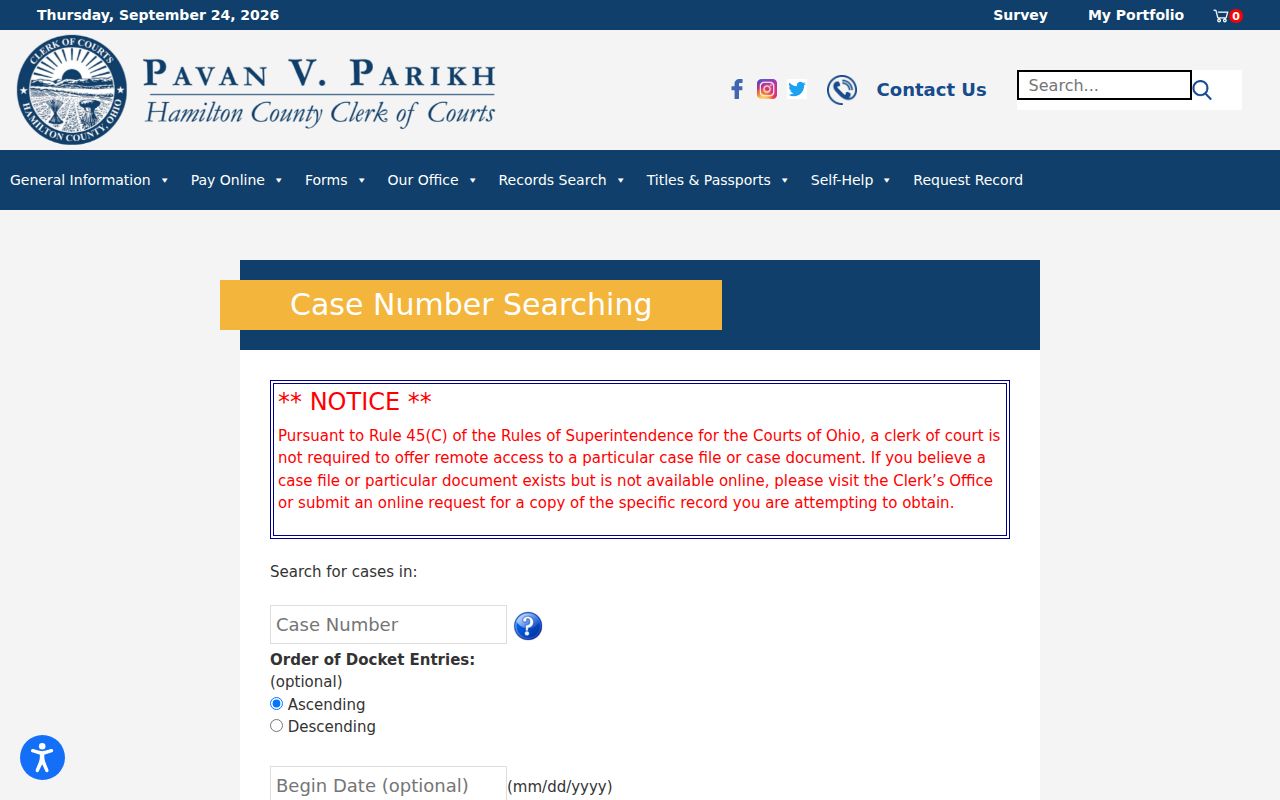
Find the case with the local search form first. For a missing filing image or an authenticated copy, contact the clerk who holds the record.
- Record the case number, entry date, and document title shown in the docket.
- Ask the court clerk whether the paper is available through another local route or archive.
- Specify plain or certified copy and ask about the current cost and delivery method.
Ohio Civil Docket Access
Ohio court records are presumptively open. The Supreme Court Rules of Superintendence say so. Statutes, rules, and court orders set the limits. Showing up in person is different from searching online, though. A court must let you inspect a public file during normal business hours. Some local clerks even offer a public terminal for that purpose. Remote access is optional. A court's website can show far less than the clerk's office holds.
One big carve-out involves case types. R.C. 2303.12 requires online posting for Common Pleas cases. But Domestic Relations and Juvenile matters sit outside that mandate. That does not mean such cases are sealed. Probate, adoption, juvenile, and restricted records simply follow their own access rules. So expect a different process for those files. Personal identifiers can also be redacted, and a judge can restrict a record or a single document.
Do not jump to conclusions from a name search. A blank result alone does not prove a case was sealed. Check that you have the right court, division, spelling, and historical coverage. Then ask the clerk before deciding. For a copy, call the case division or follow its instructions for a mail or email request. Ohio's rules balance public access with protection for sensitive fields.
Ohio access rules:
Current Sup.R. 11.09-11.16 govern public access to judicial records; remote access may be narrower than direct access.
R.C. 149.43, the Ohio Public Records Act, applies to eligible public-office records. Judicial case-file access is principally governed by the Rules of Superintendence.
R.C. 3107.17 makes adoption records confidential; ordinary probate docket access should not be confused with access to an adoption file.
Note: Remote access may be narrower than the direct access a court must give during business hours.
Ohio Civil Motions and Court Rulings
A docket entry saying a motion was filed records a request. It is not the court's decision. Service works the same way. A summons marked issued does not prove the papers were actually served. Trace the chain instead: the return of service, any later ruling, and the signed journal entry. That entry states what the court ordered.
Labels can hide real terms, too. A default judgment is more than a status line. A dismissal can be with or without prejudice, and that distinction matters later. When the question is the result or a continuing obligation, pull the actual judgment or order. Read it. The docket helps you find that document, but it does not replace it.
For enforcement, satisfaction, or an appeal, search the new event or docket through the court that now holds it. The clerk can tell you whether a separate case number or division is involved. The county directory helps you reach that office. At the end of the day, an Ohio party still needs the signed entry for the final terms.