
Searching Ohio Court Dockets
A good Ohio court docket search starts with the court listed on your summons, citation, indictment, or order. The court type tells you where to go. Felonies usually land in Common Pleas. Traffic and misdemeanor cases typically sit in Municipal or County Court. Probate, domestic-relations, juvenile, appeals, and Court of Claims matters are different. Each rests with its own office or portal. Ohio has no combined public name search for ordinary county trial dockets. A statewide statistics page or Supreme Court search cannot substitute for the local docket.
When the court is unclear, the official trial-court directory links each county to its courts and local information. Use it to match the paper to the right clerk or court. Then pick a portal, counter, or phone route.
- Read the court, county, division, and case number from the latest court paper or ticket.
- Use the Ohio Trial Courts directory to reach that county's official court links if the local address is unknown.
- Open the correct local court or clerk system and search by the case number first, or by party name with available filters.
- Review the case type, status, and newest docket entries; a summary may not include filed documents.
- Ask the custodial clerk for direct access, a missing filing, or a certified copy when the online result is incomplete.
An appeal moves to the district court's separate docket. For a claim against Ohio within Court of Claims jurisdiction, use that court's statewide Odyssey portal.
No Single Ohio Trial-Docket Search
The core search problem is a coverage gap built by design. Ohio's Supreme Court publishes no single county selector that searches ordinary Common Pleas, Municipal, County, and Probate cases across the state. The Supreme Court's directory is a routing page. It points to local systems without returning the trial docket itself.
That distinction matters when a result comes up empty. A case may sit in a different tier. It may rest in a separate division, or outside the local portal's historic range, or behind direct access only. A missing result does not prove a case was sealed or never filed. Check the court named on the paper. Ask its clerk about an archive, another search path, or an access restriction.
Search route: identify the court first, use the local court or clerk portal for the docket, and treat statewide Ohio portals as limited to their own courts.
Inside the Ohio Statewide Case Search
Ohio offers two narrow statewide judicial searches, not one public search for ordinary trial cases. The Supreme Court of Ohio ECMS Case Search covers matters before the Supreme Court only. It does not reach Common Pleas, Municipal, County, Probate, or all appellate dockets. The Ohio Court of Claims Odyssey Portal handles Court of Claims cases and hearings. For most Ohio trial cases, go local. You still need the court or clerk portal for that county.
The ECMS guide lists search controls and result details. Its filters help find Supreme Court matters. They do not reach a trial court in one of Ohio's counties. The official ECMS search page shows the case-search interface.
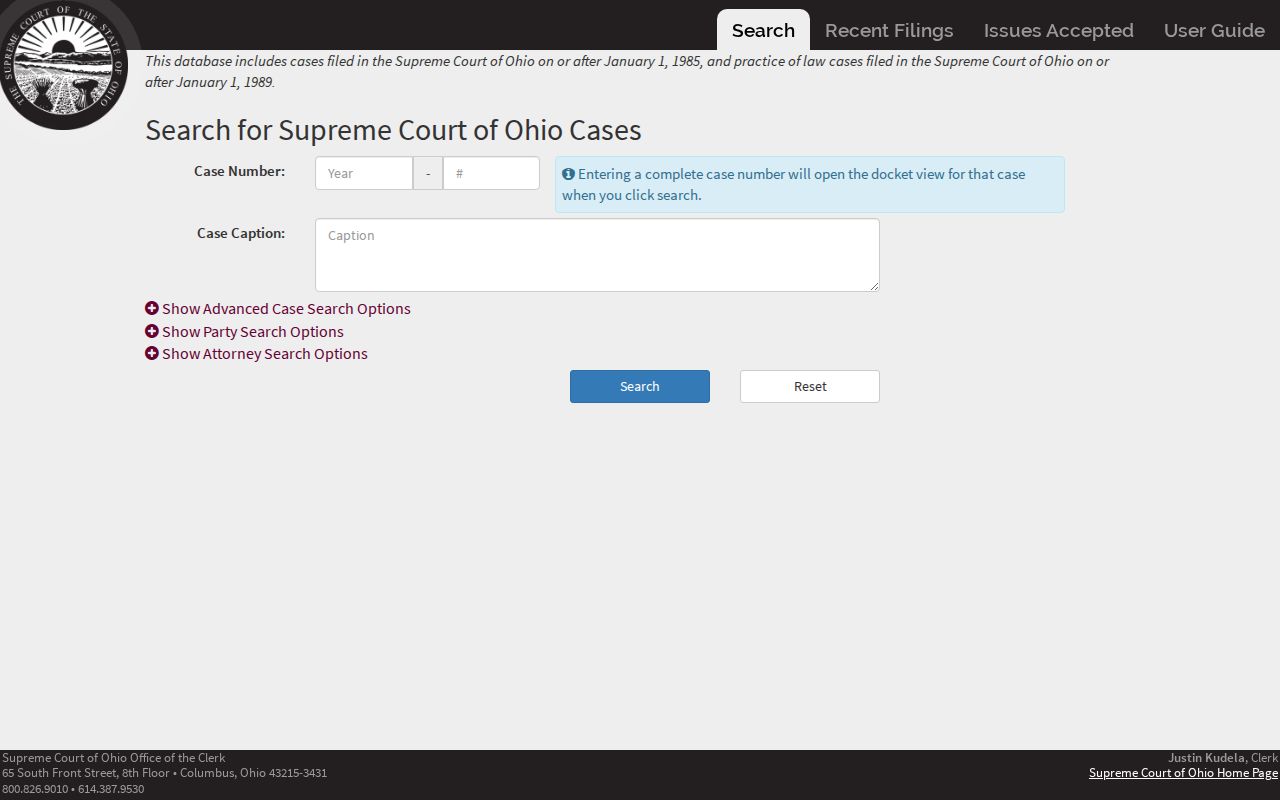
This form belongs to the state's highest court. It returns a Supreme Court docket, while a county trial docket stays with the local clerk.
| ECMS field or result | What it does | Coverage |
|---|---|---|
| Case Number | Search by a known Supreme Court case number. | Supreme Court matters only. |
| Caption | Find a case by its caption. | No county trial search. |
| Party First and Last Name | Search a party by name. | Supreme Court parties. |
| Party Entity | Search an organization or other entity. | Supreme Court matters. |
| Results | Case number, caption, date filed, status, type, and prior jurisdiction. | High-court case index. |
| Case detail | Docket items, parties, decisions, issues accepted, and linked documents where available. | Document availability varies. |
Which Ohio Courts Keep Dockets
Ohio's court structure draws the first boundary for any docket search. Courts of Common Pleas hear felony cases and broad civil matters through General Division. Separate Domestic Relations and Juvenile divisions sit alongside. Probate courts keep their own estate, guardianship, adoption, and related records. Municipal and County Courts handle traffic and misdemeanors. They also take preliminary felony proceedings and limited civil cases in their territories. Mayor's Courts are local and sit outside the judicial branch. They are not courts of record.
| Court | Docket covers | Where to search |
|---|---|---|
| Court of Common Pleas | Felony criminal and general civil matters; Domestic Relations and Juvenile divisions have distinct access rules. | County Clerk of Courts and the correct division portal. |
| Probate Court | Estates, guardianship, adoption, and other probate matters. | Probate judge or clerk; separate local records route. |
| Municipal or County Court | Traffic, misdemeanors, preliminary felony hearings, and limited civil cases. | The court's own clerk or local portal. |
| Ohio Courts of Appeals | Appeals from trial courts in one of 12 districts. | District appellate clerk and website. |
| Supreme Court of Ohio | Cases accepted by the state's highest court. | Supreme Court Clerk and ECMS. |
| Ohio Court of Claims | Claims within the Court of Claims' statewide jurisdiction. | Court of Claims Clerk and Odyssey Portal. |
The Ohio Trial Courts directory routes people from a county to the official local court pages.
Ohio's official county-by-county trial-court directory displays the courts and local links that shape this routing path.
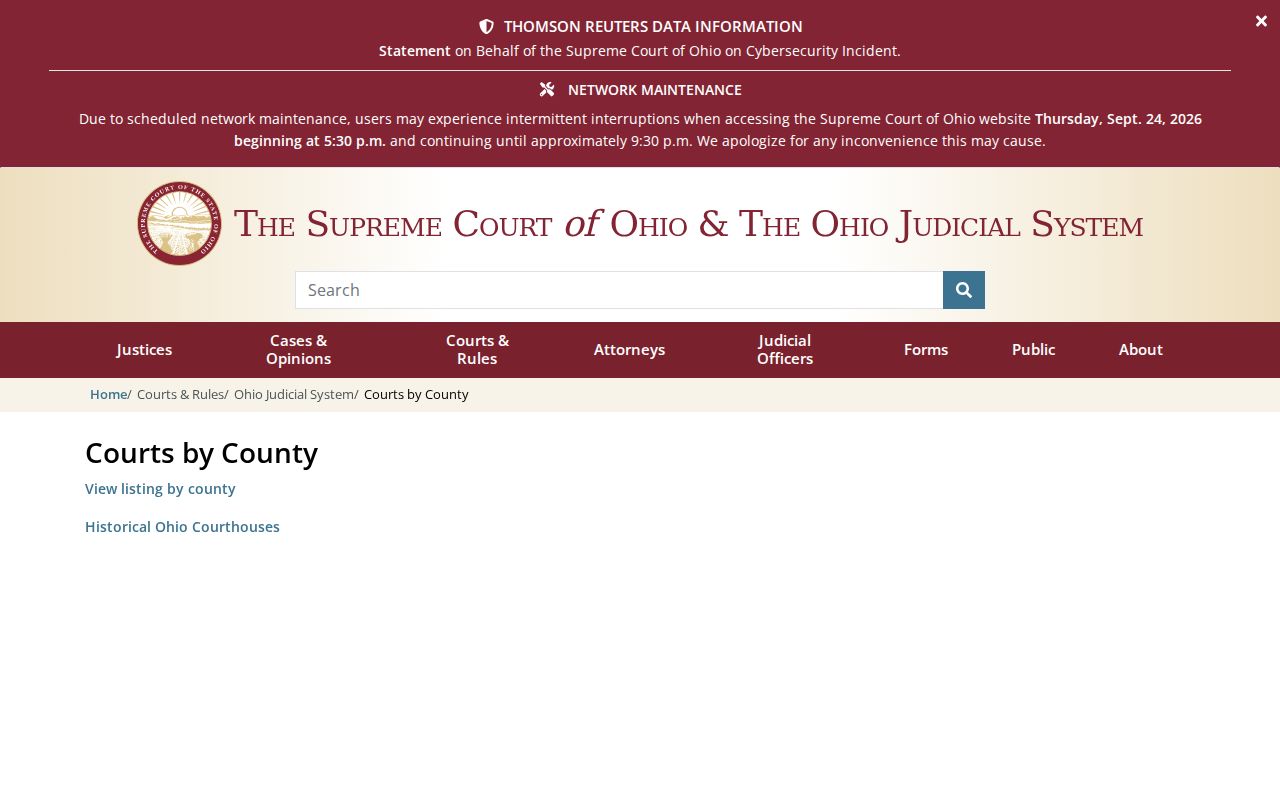
Pick the court tier and division before you search, since each can keep a different docket and case number.
Ohio's Clerk Map Follows the Court
No single Ohio county clerk holds every court record in a county. A county Clerk of Courts generally keeps the Common Pleas civil and criminal files. Municipal and County Court clerks keep their own lower-court dockets. In some places the Clerk of Courts also serves a Municipal Court. Probate records belong to the Probate judge and clerk. Appeals belong to the clerk of the district hearing the appeal.
That split matters. A docket may not show up in a portal tied to a different court. Read the court name and division on the case paper. Then use the matching clerk's site. The Ohio court structure map describes the layers. R.C. 2303.08 assigns duties to the Common Pleas Clerk. R.C. 1901.31 addresses the Municipal Court clerk.
What an Ohio Court Docket Shows
A docket in an Ohio court is the running log of a case. It tracks filings, rulings, hearing settings, and status. A local portal screen may be just a summary. Expect the case number, caption, parties, dates, and events, and little else. Full images of motions, notices, and orders are not guaranteed. Case-number formats also vary county to county. There is no single statewide pattern. Copy the number straight off your court papers instead of borrowing another county's format.
| Case number | Identifies a case within a court or division. Format depends on county, court, case type, and filing year. |
|---|---|
| Caption and parties | Names the sides and may show party roles or attorneys, subject to juvenile and other privacy rules. |
| Docket entries | Chronological lines can record filings, notices, rulings, and other actions; local labels vary. |
| Hearing settings | A listed date or hearing type is a scheduled event, not proof it occurred. |
| Journal entry | The court's written order or judgment records the ruling. It is separate from a short event line. |
| Disposition | A result or status label whose meaning should be checked against the filed judgment or order. |
R.C. 2303.12 describes the general docket and case file a Common Pleas clerk keeps. It does not force every county website into one mold.
A Docket Line Is Not the Order
A docket line records that something happened. It is not the paper itself. A portal can list a motion without the motion attached. Or it can show a judgment event with no signed judgment behind it. The Warren County Common Pleas portal says plainly that documents are not attached to filings. That is a local example, not a statewide rule.
When a result actually turns on the wording, ask the clerk who holds the file for the entry or judgment itself. Bring the case number and the filing date. Add a description of the document if you have it. A downloaded copy is not automatically certified. The clerk can quote copy and certification charges for that court. Ohio's rules promise direct access. So an online gap calls for a call to the clerk, not an assumption that nothing exists.
- Journal
- The court's official record of orders and judgments.
- Disposition
- A case or charge outcome label; read it with the judgment.
- Continuance or reset
- A scheduled event moved by court action; a request alone is not approval.
- Certified copy
- A copy authenticated by the clerk who keeps the record.
Ohio eStats Counts Workload, Not Cases
The Supreme Court's eStats dashboard reports filings, terminations, pending matters, clearance, and time to disposition. You can filter by court, jurisdiction, and judge. What you get is workload data, never a named case or a docket entry. Courts send those aggregate statistics to the Supreme Court's Case Management Section under statewide reporting rules. The public dashboard holds no individual case details.
Ohio's 2023 figure of about 1.7 million incoming cases covers Municipal and County Courts together. It does not cover every filing statewide. Traffic cases made up 952,929 of that lower-court total. The Legislative Service Commission's filing snapshot measures volume for a set period. It is not a search index.
Ohio eStats public reports lets you pick a court, jurisdiction, or judge. It explains that it collects counts rather than individual cases.
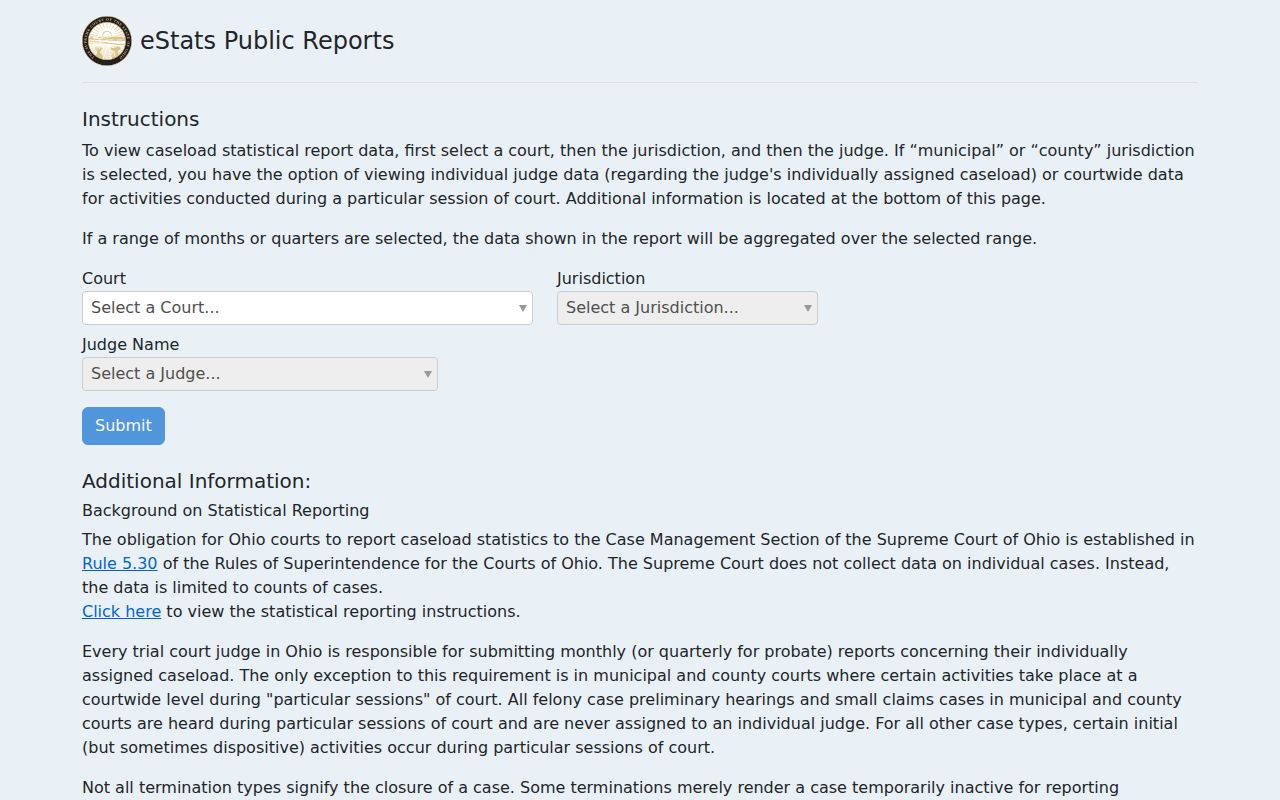
Treat these figures as a measure of court workload. For a person's docket or hearing history, go to the local clerk's case system.
Ohio Public Access to Dockets
Ohio court records are presumed open. Limits still apply for protected records, personal identifiers, and anything restricted by law or court order. The current Supreme Court Rules of Superintendence govern judicial case records and require direct access during normal business hours. Remote access is a different story. A portal may omit a document or an older file even though the court itself can hand it over at the counter. Note too that the Ohio Public Records Act covers public-office records, while ordinary judicial case files answer mainly to the court-access rules.
Key Ohio access rules:
Sup.R. 11.09-11.16 set the current framework for access to court records, including direct access, privacy, and restriction procedures.
R.C. 149.43 covers records held by public offices; it is not a substitute for judicial case-record access rules.
R.C. 2151.356 addresses sealing of specified juvenile records, while Juvenile Rule 37 governs access to juvenile court records.
R.C. 3107.17 keeps adoption records confidential, unlike an ordinary public probate docket.
When an entry or copy is missing, contact the court's clerk and ask which direct-access route applies. A search gap is not automatically a seal.
Ohio Access Rules Changed in 2026
Ohio reorganized its Rules of Superintendence on July 1, 2026. Public-access provisions that older pages cite as Sup.R. 44-47 now sit in Sup.R. 11.09-11.16, with related sealing forms in Sup.R. 11.17. The substance is unchanged: access still turns on which record is requested, who holds it, and whether a rule or statute limits it. A stale rule number can steer a requester to the wrong form or an outdated explanation.
The Supreme Court's restructuring notice lays out the effective date and the new rule organization.
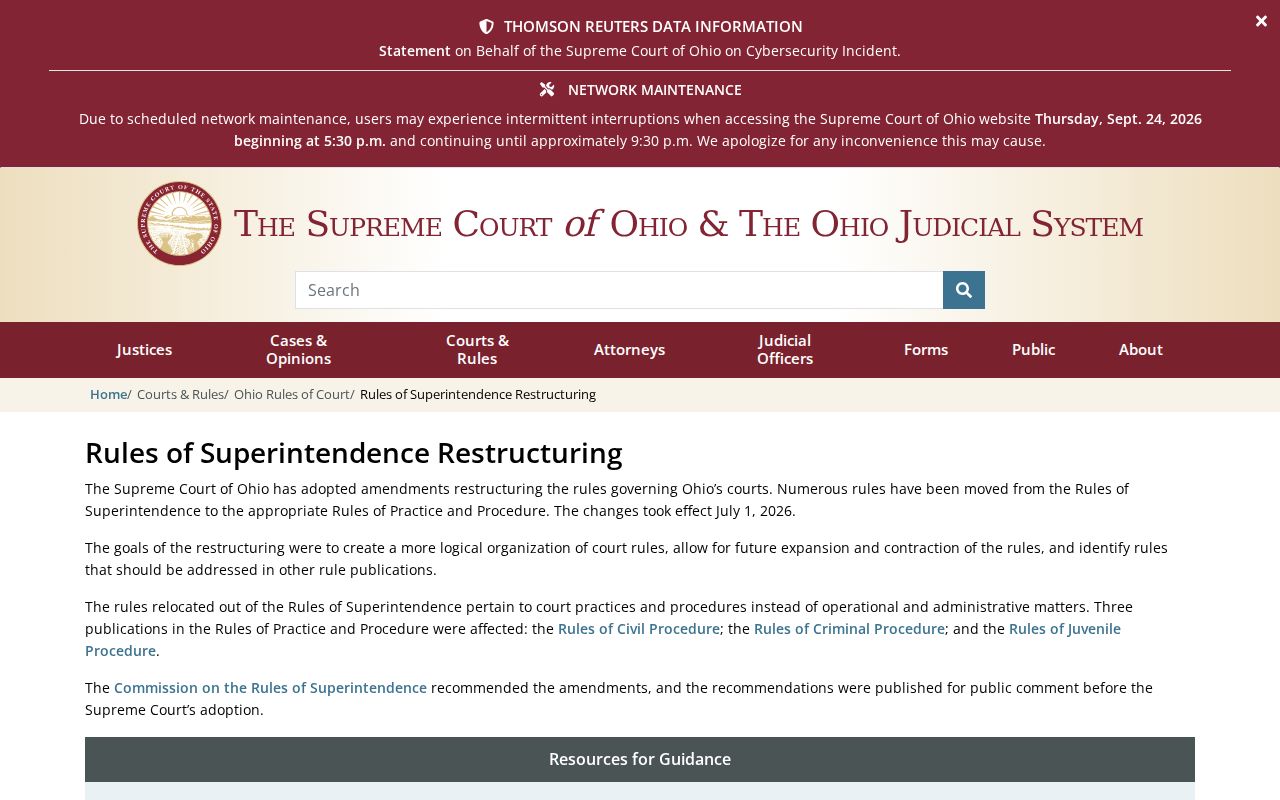
If an older county page cites Sup.R. 45 or an earlier number, check it against the current official rules and the case's access order.
Ohio Court of Claims Search Has a Narrow Scope
The Court of Claims is a statewide trial court for claims within its own jurisdiction. It is not a doorway into cases across Ohio's 88 counties. Its Odyssey Portal offers Smart Search by party or case number plus a separate Search Hearings route. No registration is needed for a public search. The portal's own notice warns that the online display is not an official or certified copy. Its documents and case data cover Court of Claims matters only.
The Court of Claims Odyssey Portal runs the Smart Search for that court. It also runs the hearing search.
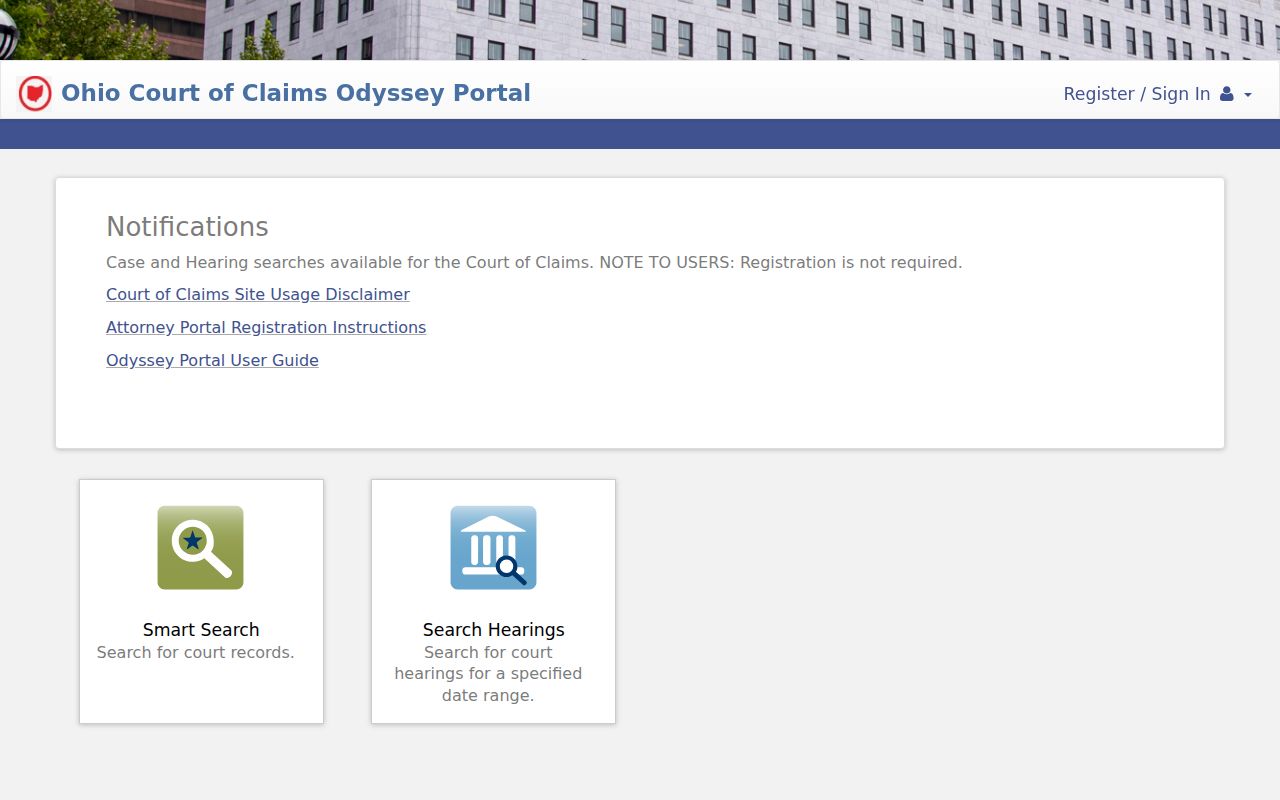
Need a certified Court of Claims record? Request it from the Clerk. For an ordinary county case, return to that county's own trial-court portal.
Ohio Appeals Have Separate Dockets
An appeal creates a new case number and a brand-new court record. Ohio's 12 Courts of Appeals are organized by district. Each district clerk keeps the appellate docket. The trial-court docket may show the notice of appeal and record transmission. But briefs, motions, argument dates, and appellate decisions live in the district file. If the Supreme Court later accepts the case, a separate high-court docket opens on top of that.
The Ohio Courts of Appeals directory maps counties to districts and links to district information.
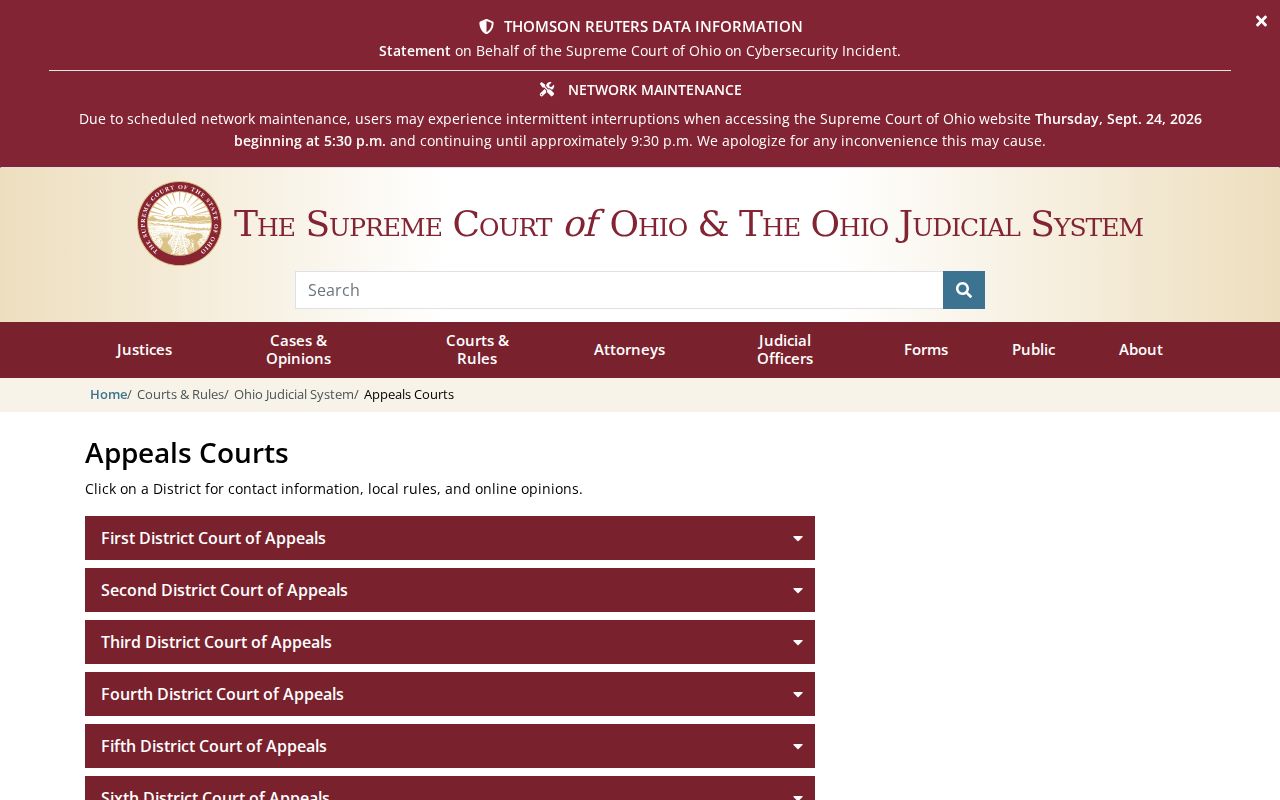
Trace an order by searching both levels. The county clerk keeps the trial record; the appellate clerk keeps the appeal.
Ohio E-Filing Is Chosen Locally
Ohio never built one statewide e-filing engine for its county trial courts. Instead, statutes let each Common Pleas, Municipal, and County Court clerk set up filing on its own terms. Some take documents by email. Others run a full online system. At the top, the Supreme Court e-filing system handles Supreme Court cases. The Court of Claims uses Odyssey eFileOH.
Keep two things separate when you plan a filing. A platform that accepts documents may still offer the public no docket search. It may offer no document images either. For a county case, follow the current local instructions from that court and clerk. The official directory is the route in. A statewide dashboard or the high court's filing page cannot submit anything to a county case.
Court Dockets by County in Ohio
County government is where an Ohio trial court docket actually lives. Local courts and their clerks keep the case file. The county is the practical starting point for any docket search. Big metro systems pull the most lookups. Even so, the right clerk depends on the case type and the court named on your paperwork. The links below open each county court hub. From there, the local site points you to its Clerk of Courts, Probate Court, or Municipal Court records path.
Franklin County
Columbus · State capital and county court hub
Cuyahoga County
Cleveland · Cleveland metro with distinct local court systems
Hamilton County
Cincinnati · Clerk search, copy request, and hearing routes
Montgomery County
Dayton · Common Pleas and judge schedule routes
Summit County
Akron · Separate Common Pleas, Probate, and Municipal dockets
Lucas County
Toledo · Toledo metro court routes
Butler County
Hamilton · Hamilton and Middletown area courts
Stark County
Canton · Canton metro and local Municipal Courts
Want the whole list? Browse the full directory of all 88 Ohio counties and open the local court hub for any part of the state.